Mount and focus
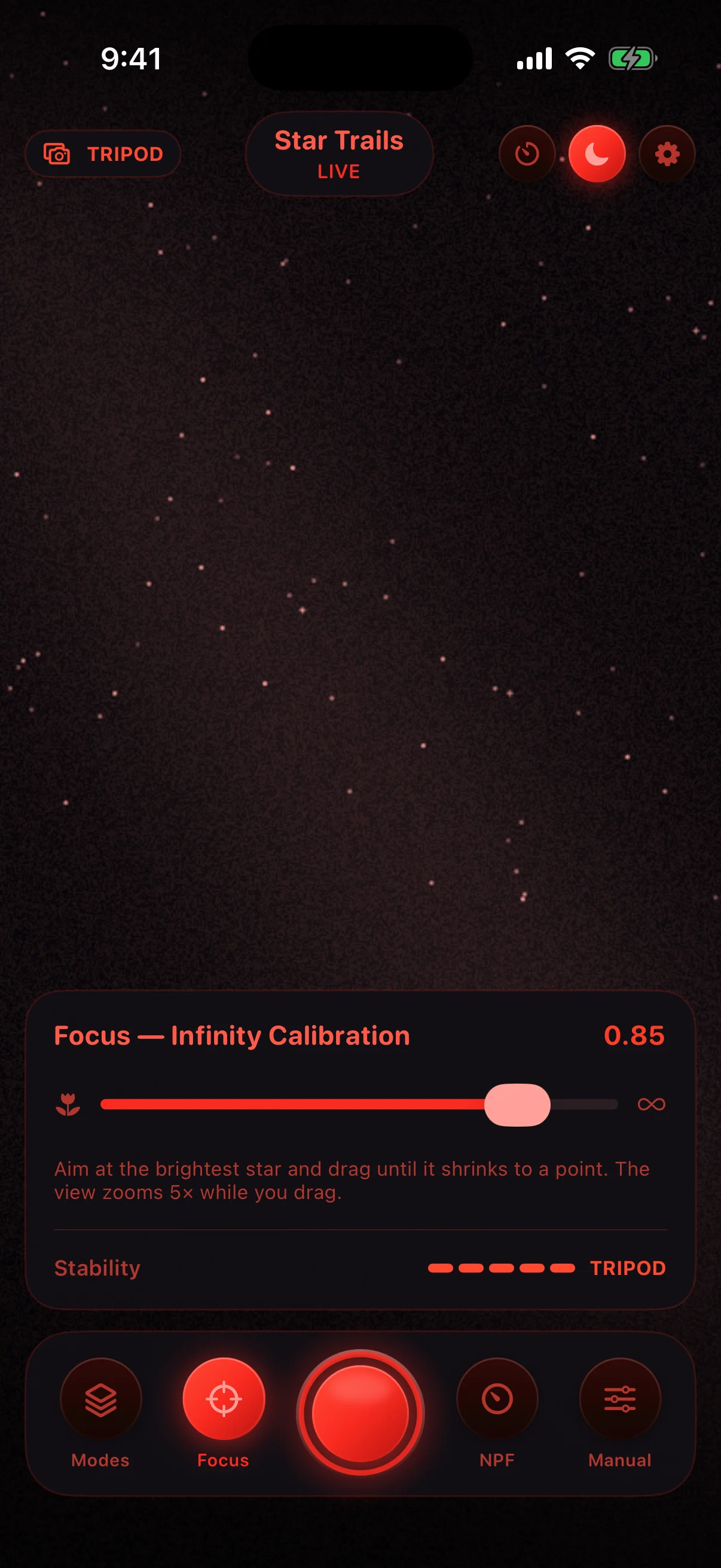
The gyroscope confirms the tripod, and the 5× star-focus loupe helps you calibrate true infinity on a real star.
Live star-aligned exposure stacking for iPhone: Milky Way stacking, single-shot aurora, open-ended star trails, and light trails, with a physics-based exposure assistant, night-vision interface, self-timer, and programmable intervalometer.
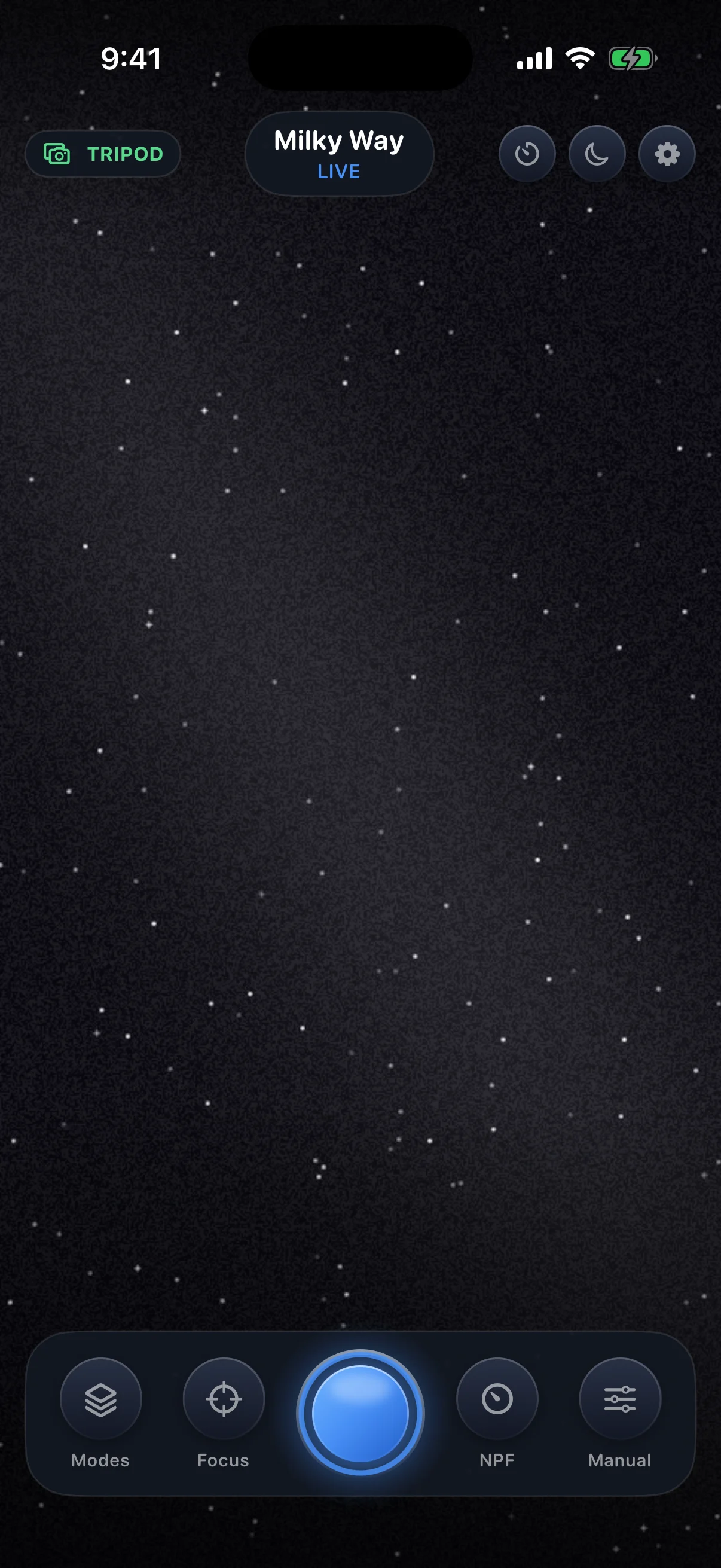
AstroGlow captures a continuous burst of exposures and stacks them live on the GPU — registering every frame on the stars, averaging the noise away, and keeping the light. The exposure plan is computed from your actual lens with the NPF rule, the gyroscope decides tripod or handheld, and every finished stack is cleaned of hot pixels before it lands in Photos. No account, no uploads, one-time purchase.
The gyroscope confirms the tripod, and the 5× star-focus loupe helps you calibrate true infinity on a real star.
The assistant plans frames, shutter, and gain from the NPF rule, then stacks the sky in real time — you watch the image build.
Hot pixels are removed automatically and the finished stack saves to Photos at full resolution — or program the intervalometer and let it run.
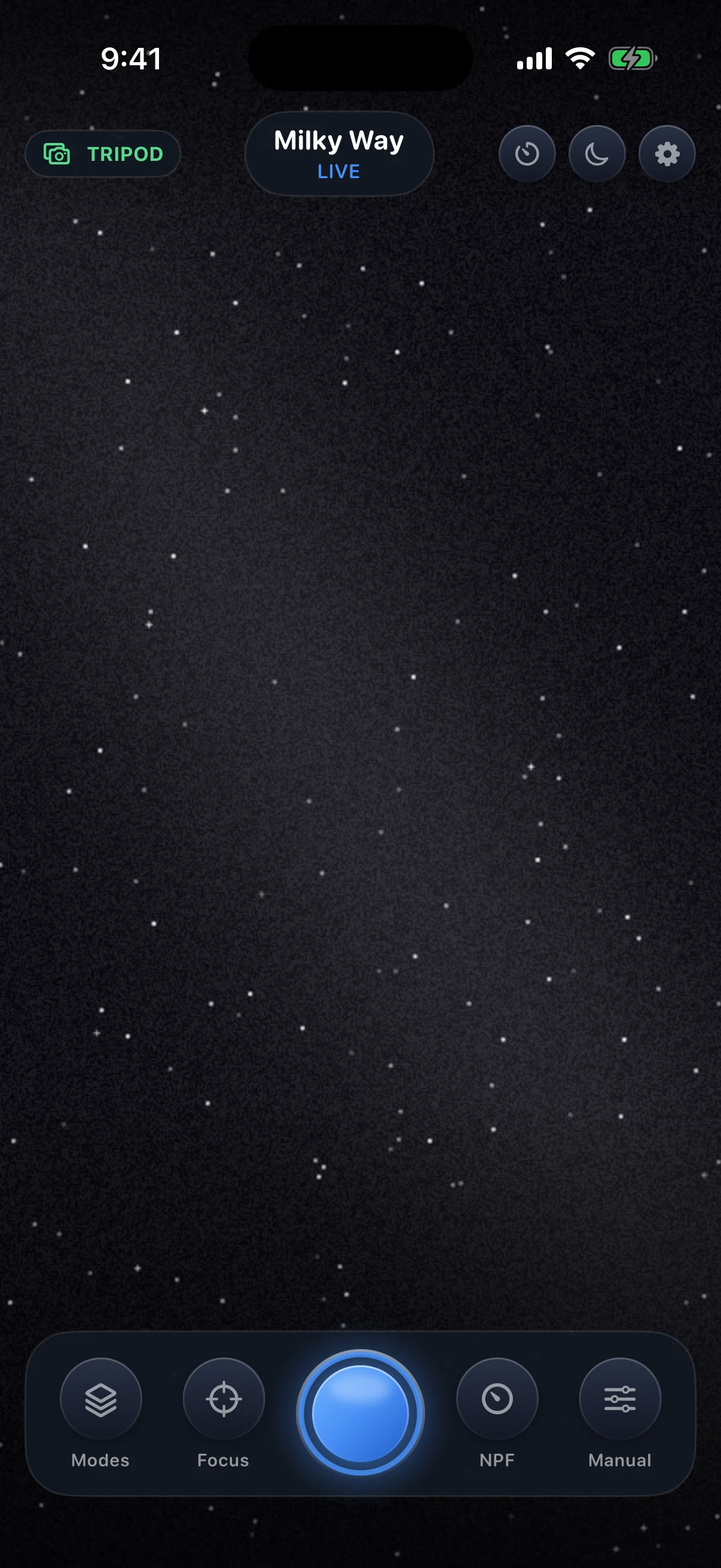
Live star-aligned exposure stacking for iPhone: Milky Way stacking, single-shot aurora, open-ended star trails, and light trails, with a physics-based exposure assistant, night-vision interface, self-timer, and programmable intervalometer.
A GPU tracker follows the brightest star and shifts every frame back into registration with sub-pixel precision, while on-device foreground detection keeps the landscape from smearing — pinpoint stars, sharp treeline, clean noise-free sky.
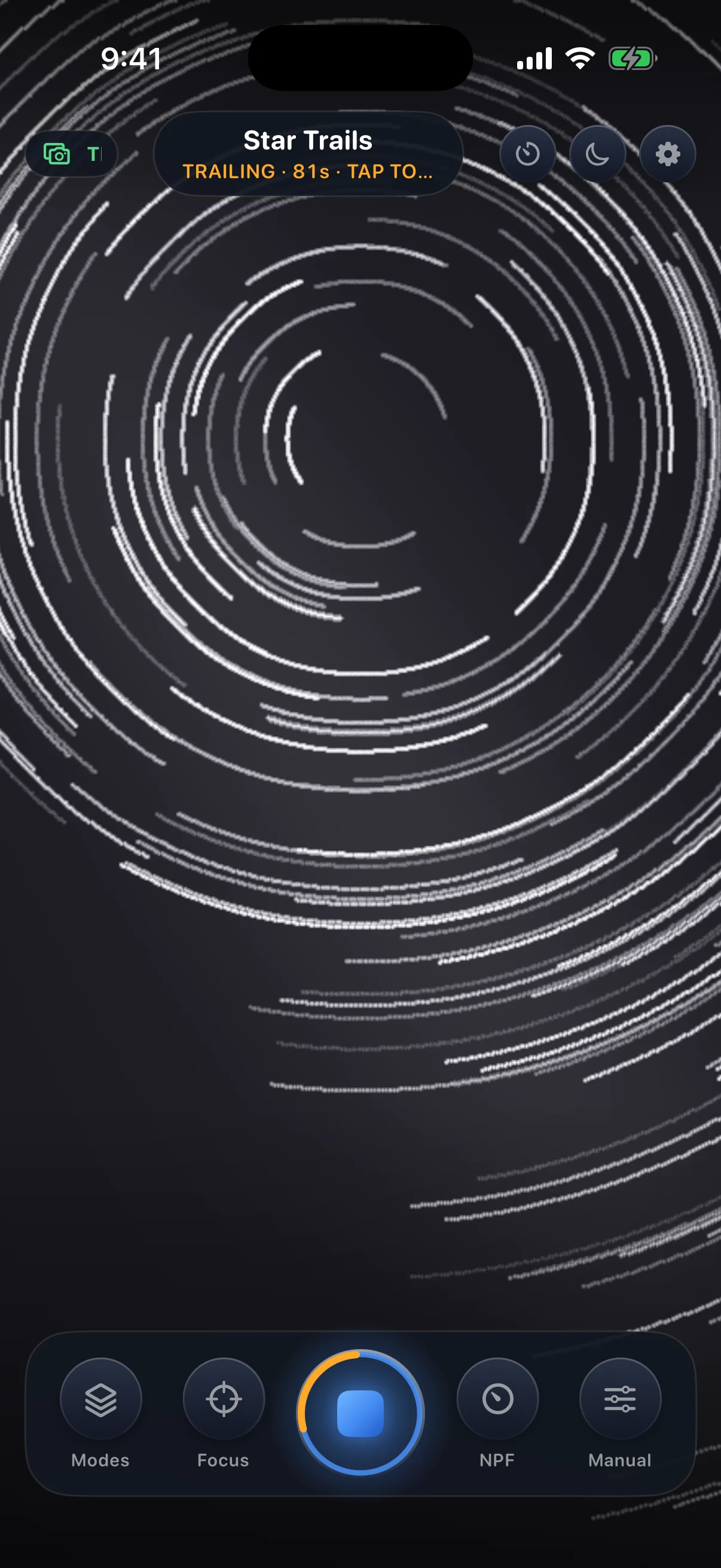
Milky Way stacks with star alignment; Aurora captures a single perfect exposure — it moves too fast to stack; Star Trails runs open-ended until you tap stop; Light Trails paints headlights and city motion.
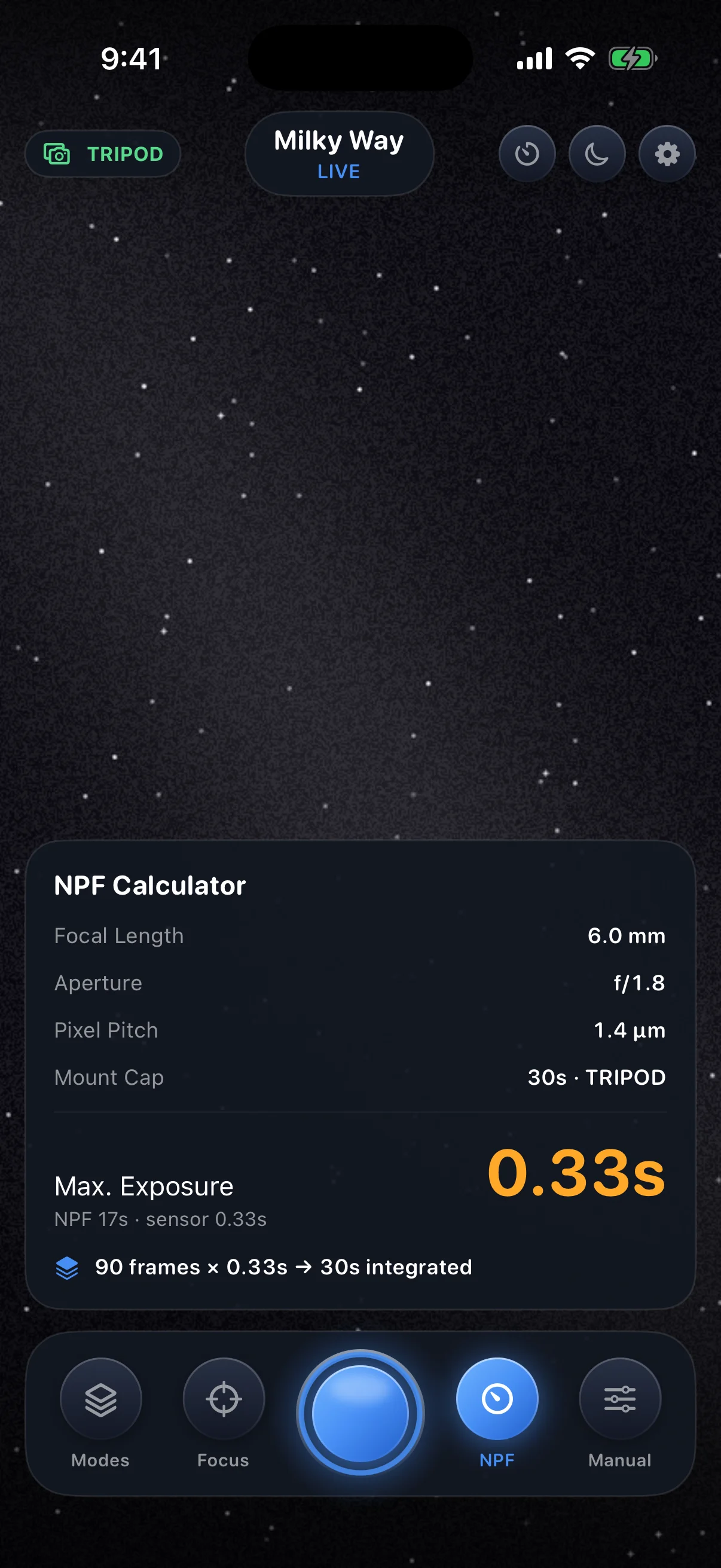
The NPF rule computes the longest trail-free shutter from your actual lens, and gyroscope variance decides tripod versus handheld — the whole exposure plan derives from that, automatically.
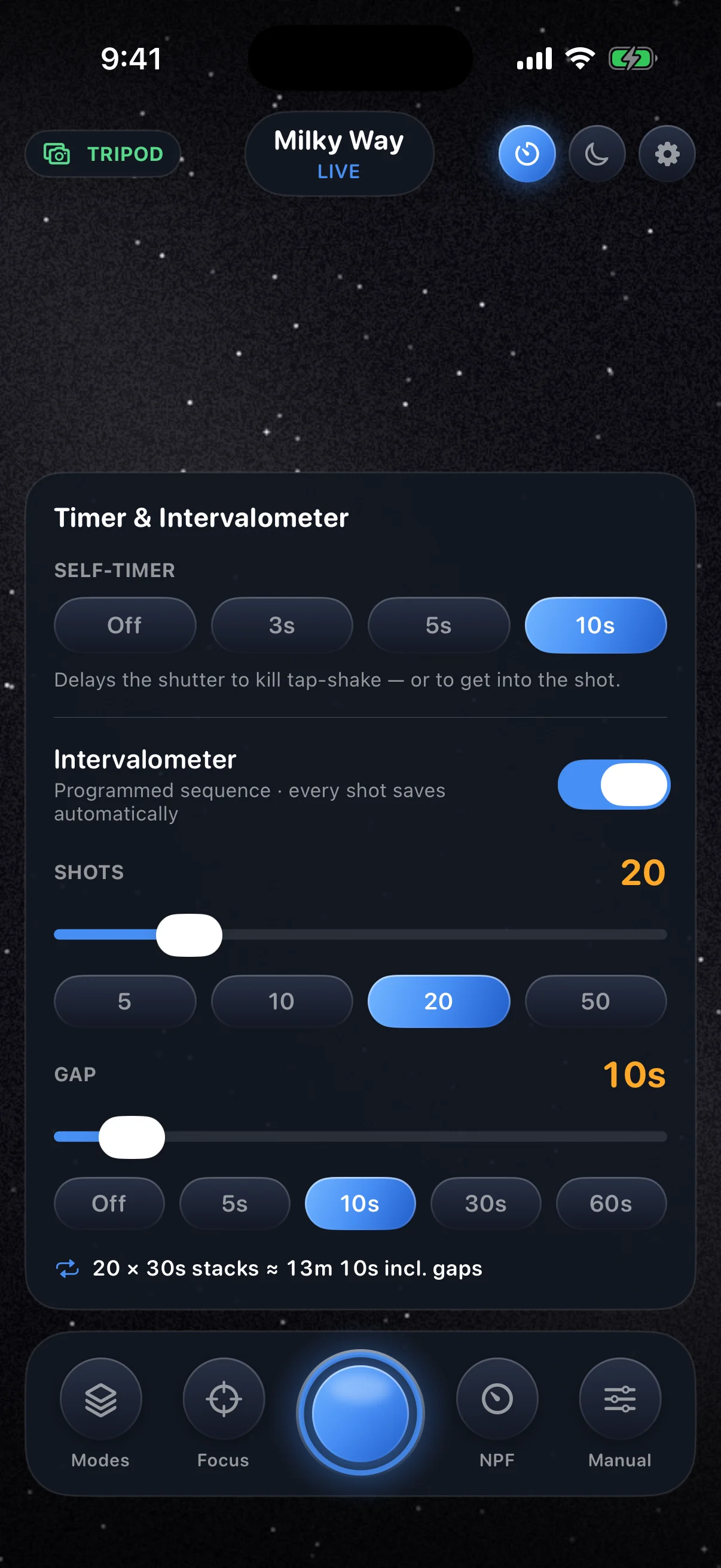
A 3, 5, or 10-second self-timer kills tap-shake or puts you in the frame. The intervalometer programs up to 99 stacks with timed gaps — saved as stills, or compiled on-phone into a finished timelapse video where star-trail arcs grow across the clip.
Night Vision shifts the entire interface deep red to protect dark adaptation, the focus loupe zooms 5× while you calibrate infinity, and a live stability gauge reads the mount.
Every capture ends with automatic hot-pixel removal and noise cleanup. One-tap Enhance lifts the Milky Way with gradient removal and an astronomer's stretch — reversible, before/after on screen. A complete in-app Field Guide documents everything.
AstroGlow: Milky Way Camera is available on the App Store for iPhone.
View on the App Store Available now
AstroGlow is a computational astrophotography camera for iPhone. It does not require an account, and image processing happens on your device.
Solution 7 Media does not collect personal information through the app, sell personal information, use advertising SDKs, use analytics SDKs, or track you across apps or websites.
AstroGlow uses the camera to capture the frames it stacks. Frames are processed on-device and are not transmitted to Solution 7 Media.
The gyroscope is read on-device to detect whether the phone is on a tripod and to display a stability gauge. Motion readings are not collected or transmitted.
AstroGlow requests add-only Photos access — the narrowest permission iOS offers for saving. The app can add the images you choose to save (or that the intervalometer saves for you) to your photo library; it cannot read your existing photos.
Privacy questions may be sent to support@solution7media.com or directed by phone to 503-257-6177.
The Timer panel sets a 3, 5, or 10-second self-timer and programs the intervalometer: choose shots and gap with sliders or one-tap presets, and every shot in a sequence saves to Photos automatically. Tap the shutter at any time to end a sequence early — everything already captured is safe.
Blurry stars are almost always focus — recalibrate on a star, and remember the slider's far stop is past true infinity. If stars trail in Milky Way mode, make sure a genuinely bright star is in frame for the tracker, shelter the tripod from wind, and re-tighten the mount. The in-app Field Guide has a full troubleshooting section.
Email support@solution7media.com or call 503-257-6177. Include your device model, iOS version, AstroGlow version, and a short description of what happened.
Astrophotography happens outdoors at night. Exposure calculations are photography aids, not safety guidance — stay aware of terrain, weather, wildlife, traffic, and land access, and never rely on the phone screen for situational awareness.
AstroGlow is offered under the Solution 7 Media End User License Agreement below, accepted in the app on first launch. Exposure calculations and capture guidance are photography aids and do not replace safety, navigation, or weather information.
Read Apple’s Standard EULA