See the whole file
Open a photo and read every EXIF, TIFF, IPTC, GPS, and maker-note field, grouped and formatted the way photographers actually read them.


Read all 128 metadata fields in a photo, see in plain language what it gives away, and strip location, serial numbers, timestamps, and the editing-software tag without touching a single pixel.
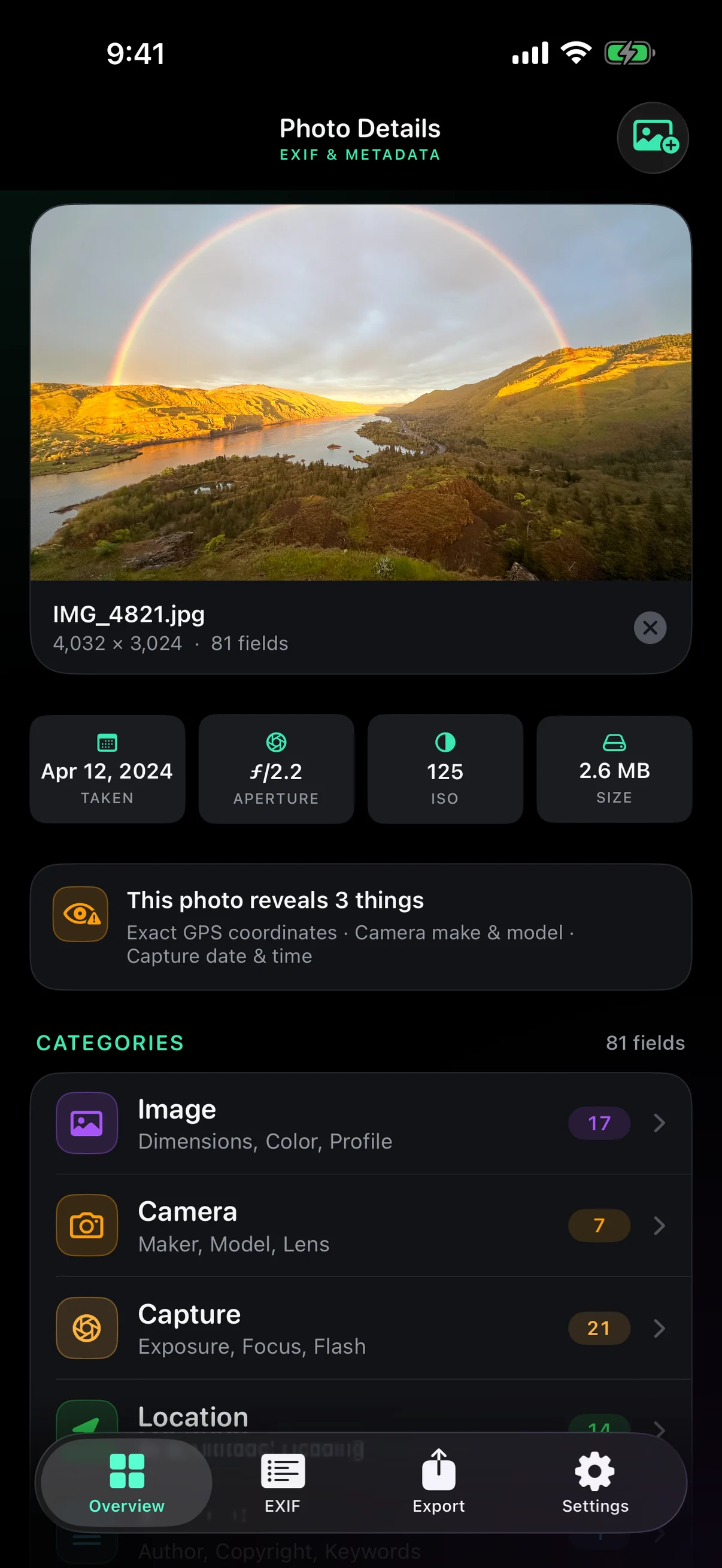
Every frame carries a second file: where you stood, which camera you used, its serial number, the exact second you pressed the shutter, and which app last touched it. EXIF Magic shows all of it in language you can read, then lets you remove or rewrite any part of it — onto a new copy, with the pixels left bit-for-bit identical.
Open a photo and read every EXIF, TIFF, IPTC, GPS, and maker-note field, grouped and formatted the way photographers actually read them.
A plain-language banner names exactly what the photo discloses — coordinates, device serial, camera model, capture time, author.
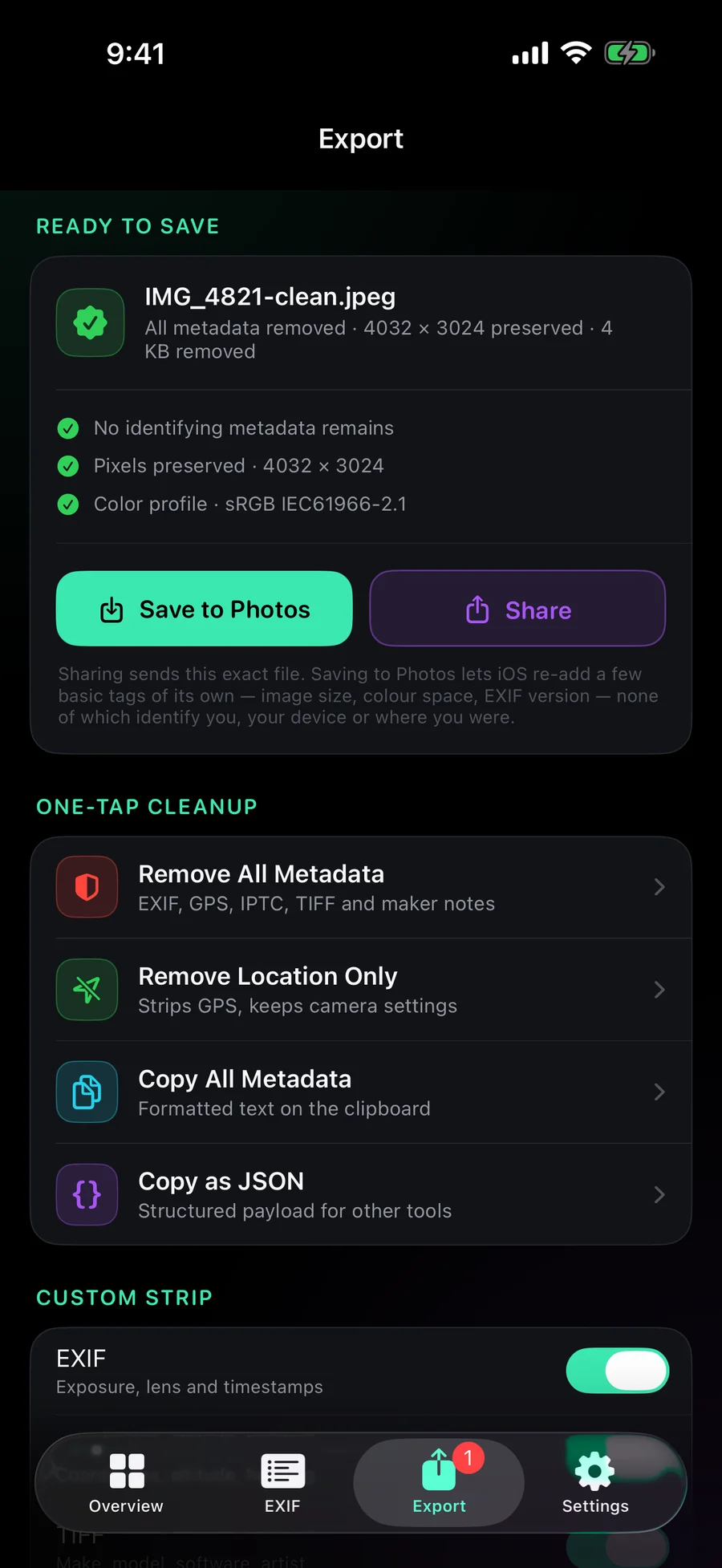
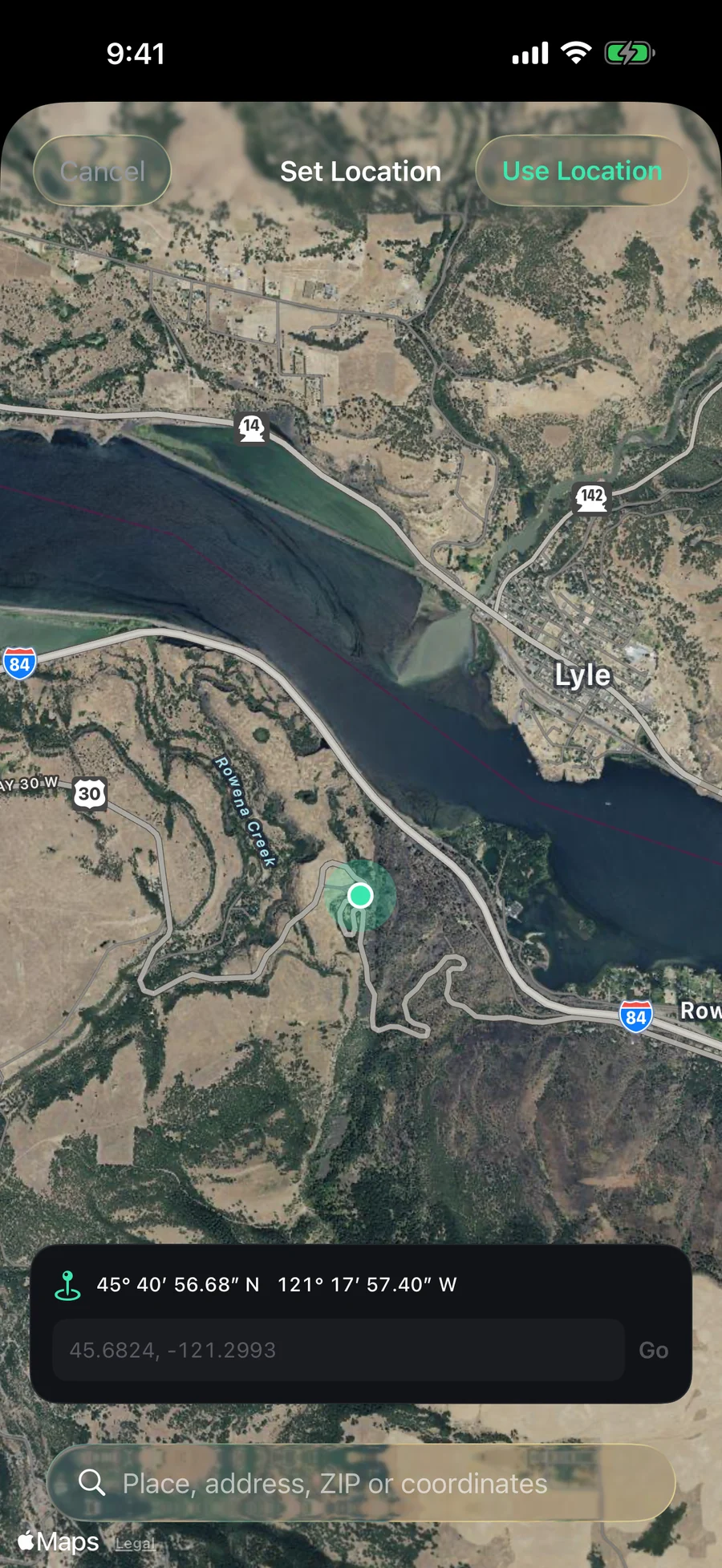
Strip everything, strip only location, or clean the file and stamp on a location you choose. Every export is re-read and verified before you can save it.
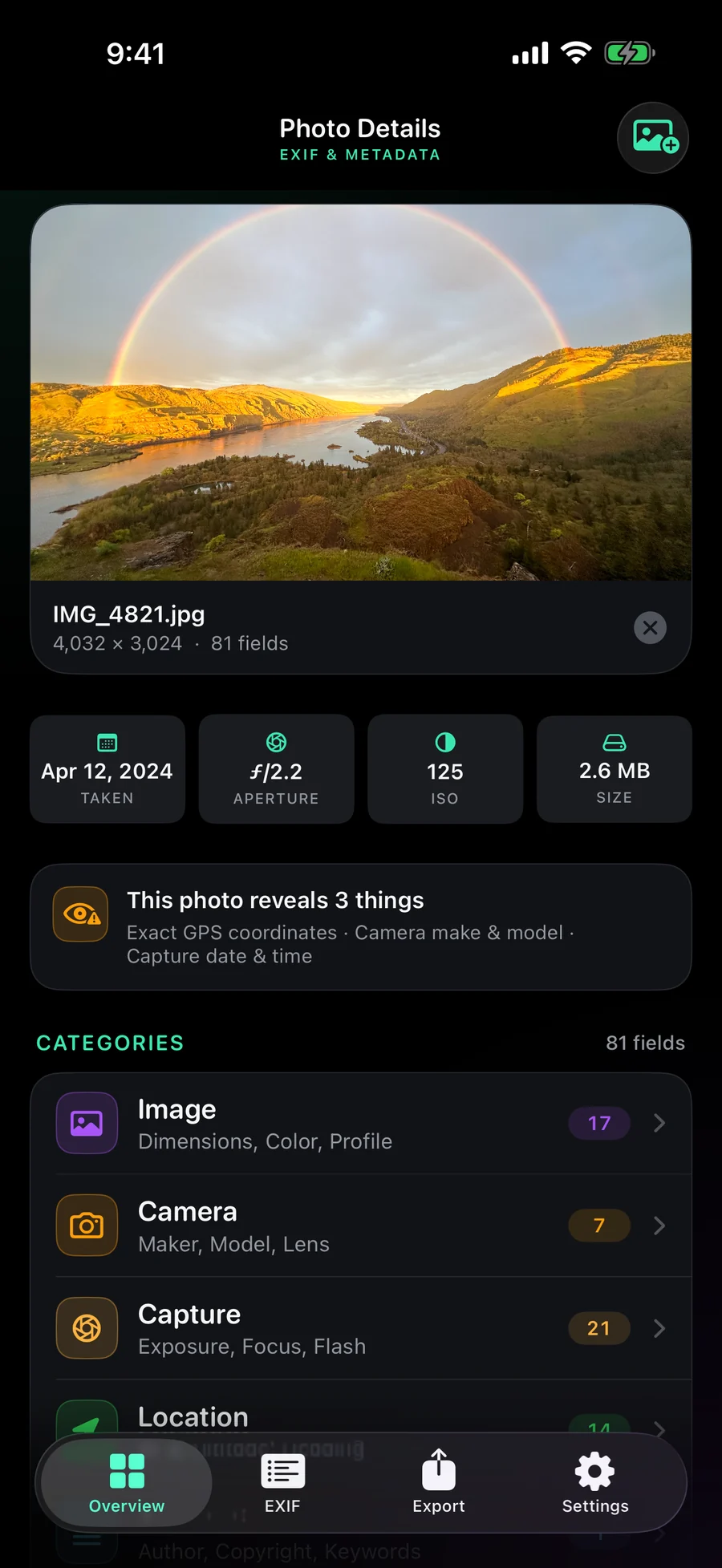
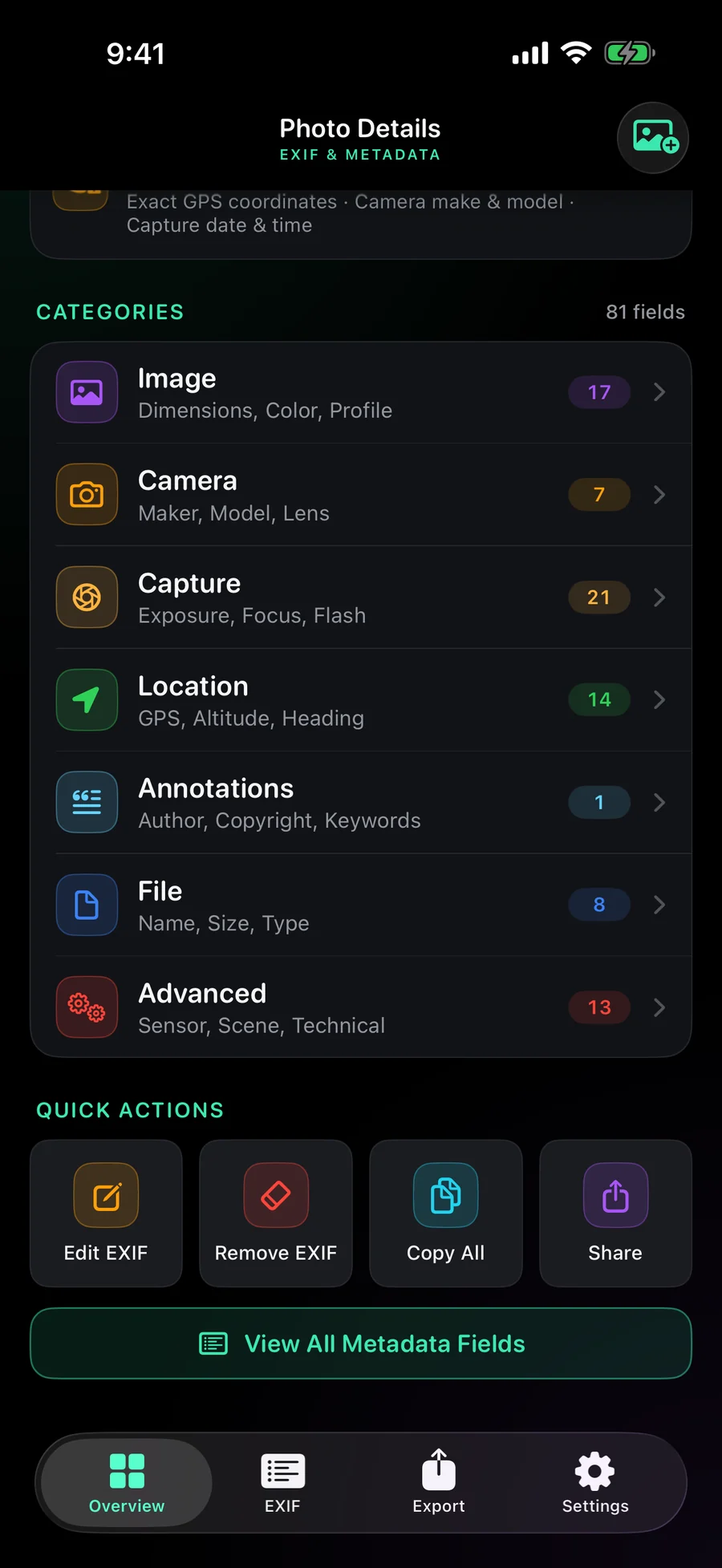
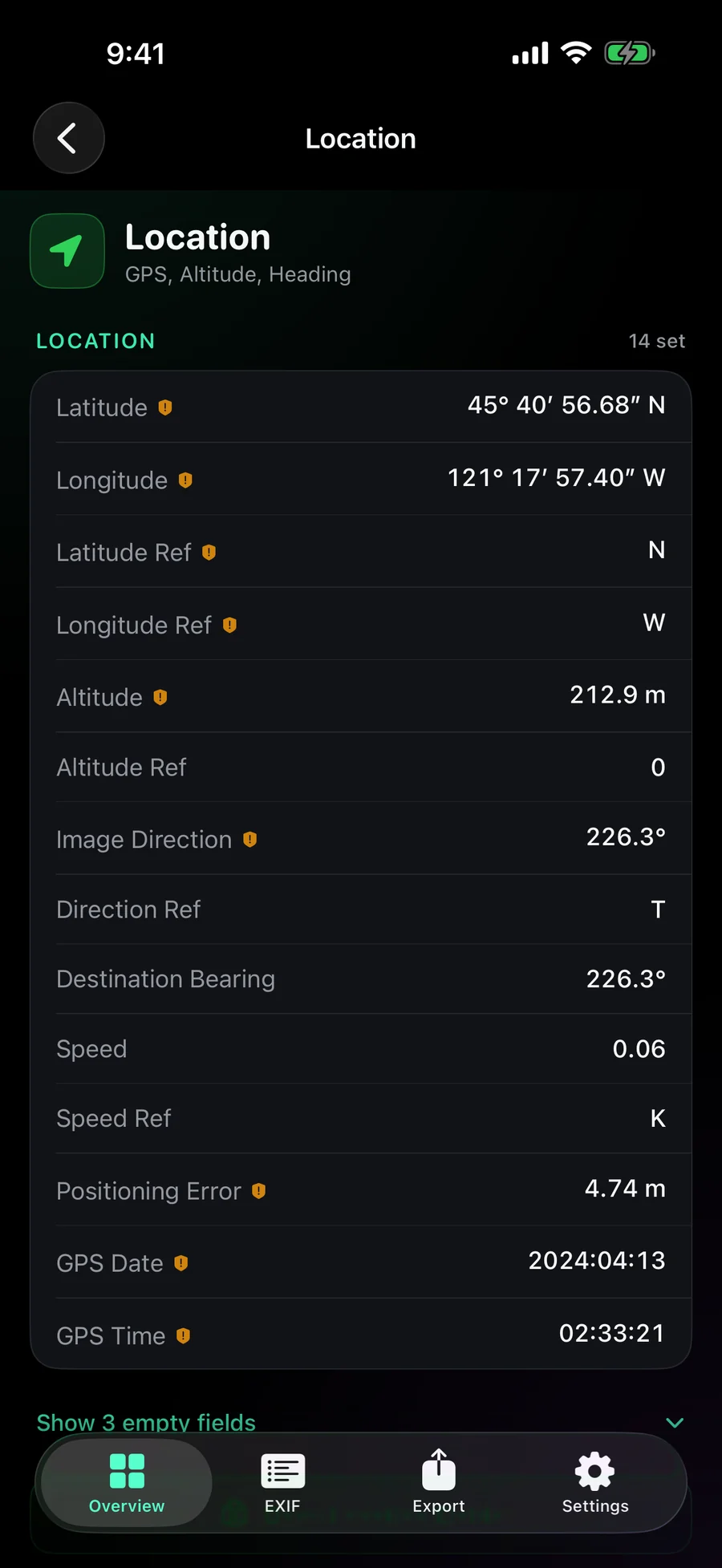
Read all 128 metadata fields in a photo, see in plain language what it gives away, and strip location, serial numbers, timestamps, and the editing-software tag without touching a single pixel.
128 named fields across EXIF, TIFF, IPTC, GPS, and manufacturer maker notes, formatted the way you read them: ƒ/1.8, 1/250 s, +0.33 EV, ISO 3200. Anything unusual your camera wrote still surfaces under Advanced.
A plain-language summary names the exact GPS coordinates, device serial number, camera make and model, capture date, and author name a photo would hand over.
Remove everything in one tap, or clear only location and keep your camera settings. Choose EXIF, GPS, TIFF, IPTC, XMP, or maker notes individually, and keep the orientation tag so nothing rotates.
The original compressed image data is copied, never decoded and re-encoded. Same dimensions, same colour profile, no extra generation loss — the exported file is pixel-for-pixel identical.
Every export is re-read and checked before you can save it. If anything sensitive survived, the export is refused and you are told why — and a copy that legitimately keeps metadata says so instead of showing a reassuring tick.
Clean the file completely, then stamp on coordinates of your choosing. Pick a spot on the map, search by place name, address, or ZIP code, or paste coordinates directly.
Keep the cleaned copy alongside your original, or replace it outright. The copy is always written to your library first, and iOS asks you to confirm the deletion.
Everything runs on device through Apple's own ImageIO framework. No servers, no uploads, no analytics, no accounts. The app does not even ask to read your photo library.
EXIF Magic is a free download for iPhone and iPad. No in-app purchases, no subscription, no account.
View on the App Store Available now
EXIF Magic reads and edits photo metadata entirely on your device using Apple's ImageIO framework. The app has no servers, no accounts, and no network code of any kind.
Photos you open are processed locally and are never uploaded, copied off the device, or shared with anyone. Metadata read from a photo — including GPS coordinates — is displayed to you and nowhere else.
EXIF Magic does not request permission to read your photo library. The system photo picker hands the app only the single photo you choose.
Add-only permission is requested when you save a cleaned or edited copy. Full library access is requested only if you turn on “Delete original after saving”, and is used solely to remove the photo you asked to replace.
Every edit and every strip writes a new file. Your original photo is left untouched unless you explicitly choose to replace it, and iOS asks you to confirm that deletion separately.
EXIF Magic collects no personal information, creates no user accounts, contains no analytics or advertising SDKs, and does not track you across apps or websites. Its App Store privacy declaration is “Data Not Collected”.
The app is a general-purpose photo utility rated 4+ and does not knowingly collect information from children.
For privacy questions, contact support@shutterscoutapp.com.
Need help with EXIF Magic? This page covers the most common questions about reading, stripping, and exporting photo metadata.
Screenshots, images saved from the web, and photos already processed by another tool often carry almost nothing. Try a photo taken directly with a camera or phone — those usually carry 60 to 130 fields.
Turn on “Delete original after saving” in the Export tab. The cleaned copy is written to your library first, then the original is deleted, and iOS asks you to confirm. Deleted photos remain in Recently Deleted for 30 days.
This option is only available for photos chosen from your photo library, and requires full library access.
The file EXIF Magic writes is completely metadata-free. When iOS adds it to your photo library it re-adds a few basic tags of its own — image size, colour space, and EXIF version. None of these identify you, your device, or where you were. Sharing the file directly sends the exact bytes the app produced.
Stripping or editing metadata never re-encodes your photo. Dimensions, colour profile, and image data are preserved exactly, so there is no additional compression loss.
Email support@shutterscoutapp.com with your device model, iOS version, and a short description of the issue.
EXIF Magic does not use a separate custom license. It is offered under Apple’s Licensed Application End User License Agreement.
Read Apple’s Standard EULA