Load and listen
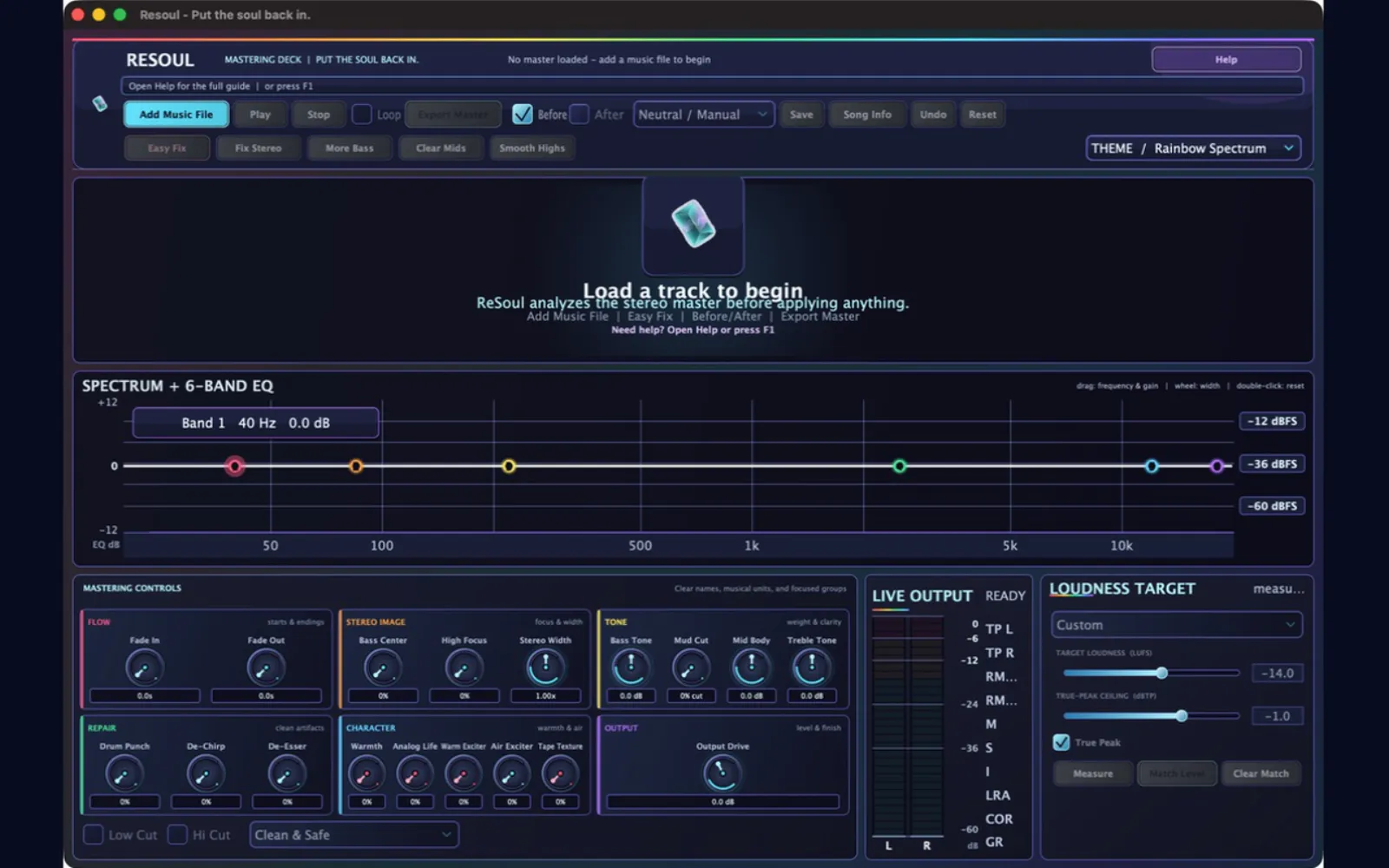
Open a stereo track and see separate channels, live spectrum, level, loudness, peak, and phase evidence.


Master rough mixes and AI-generated tracks on iPhone, iPad, and Mac with one purchase, no subscription, and no per-track fees.
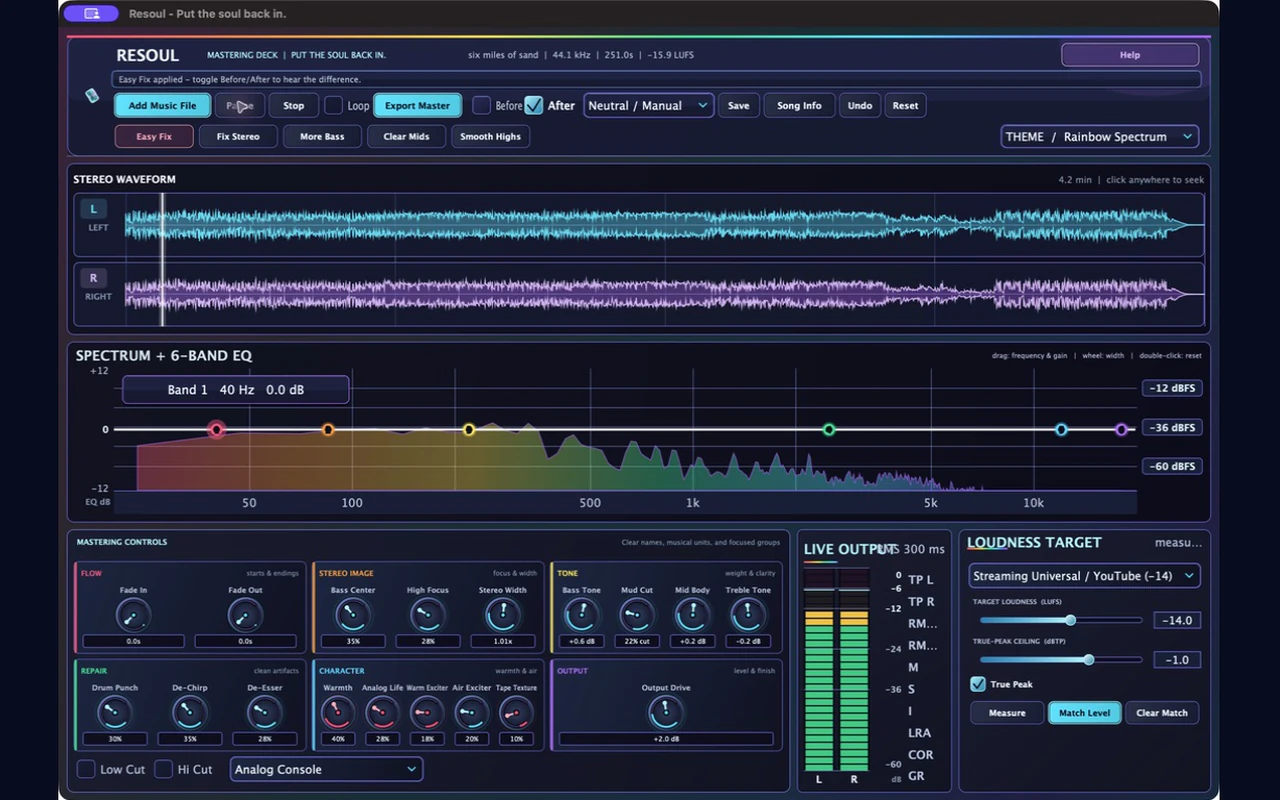
Most mastering costs a subscription, a studio hour, or a per-track fee. ReSoul is one purchase that works on iPhone, iPad, and Mac: 33 curated genre profiles, corrective EQ, stereo control, dynamics, harmonic character, true-peak protection, and broadcast-grade loudness metering in one responsive deck. Your audio never leaves the device, and every colour mode changes the room — not the sound.
Open a stereo track and see separate channels, live spectrum, level, loudness, peak, and phase evidence.
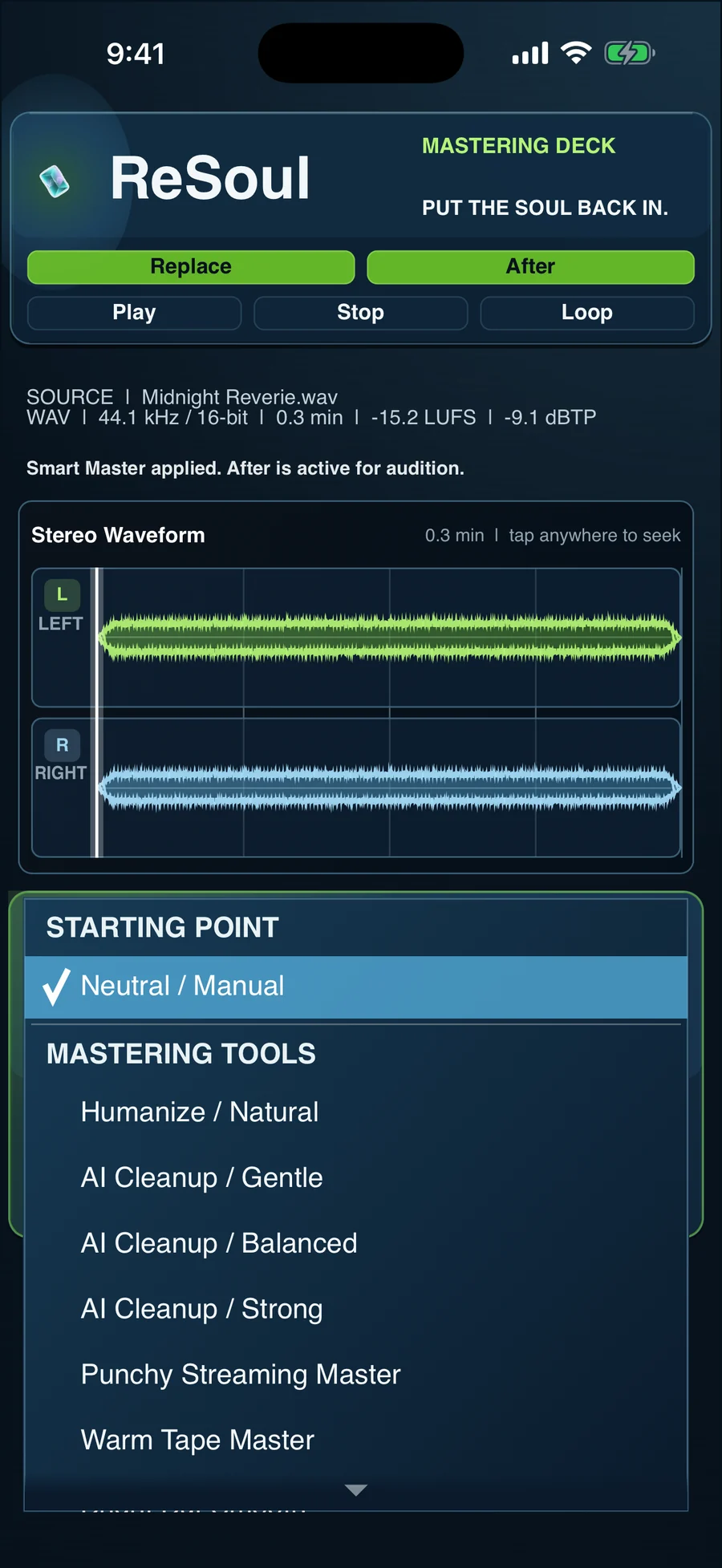
Start with Easy Fix or a musical preset, then control bass, mud, body, harshness, width, punch, warmth, and air.
Match level, switch Before and After, protect true peak, and export a polished stereo WAV.
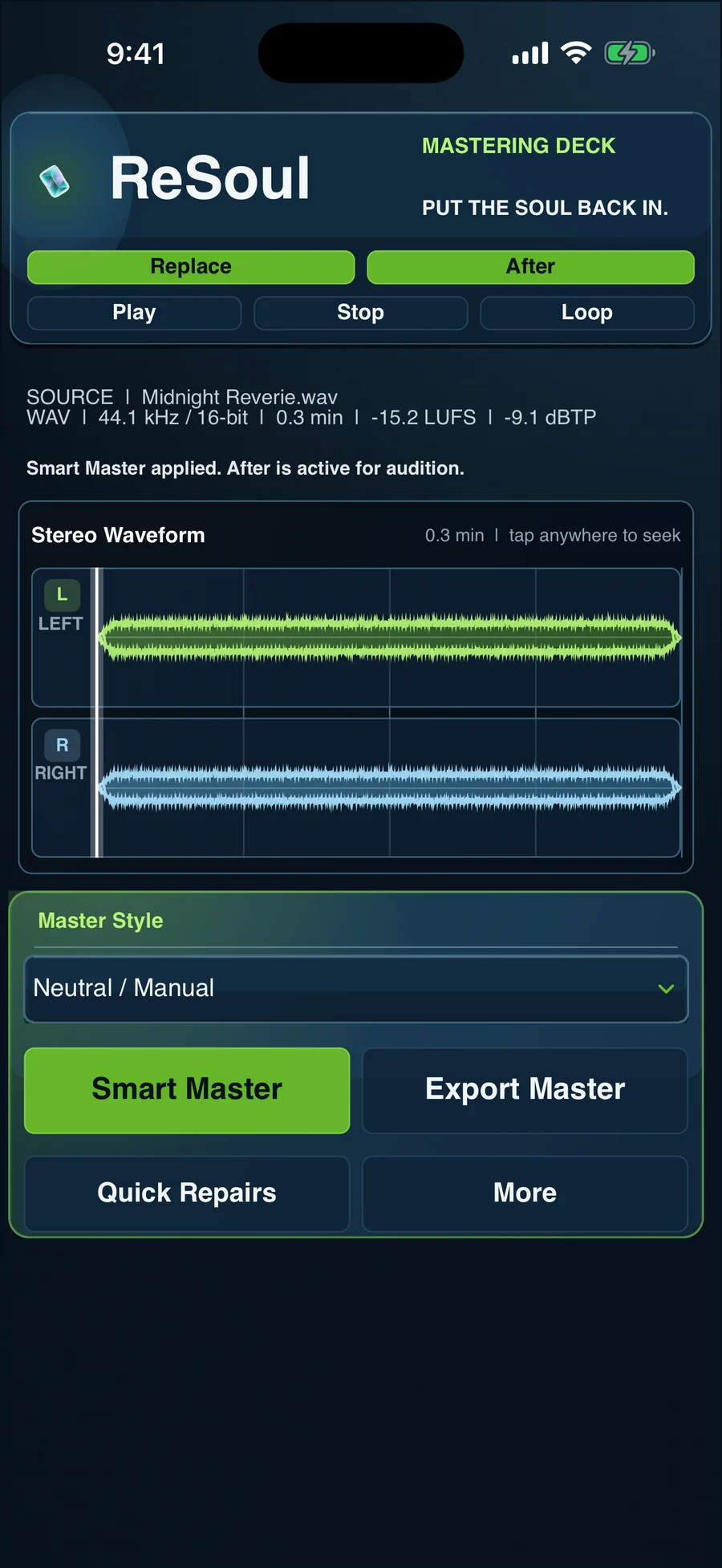
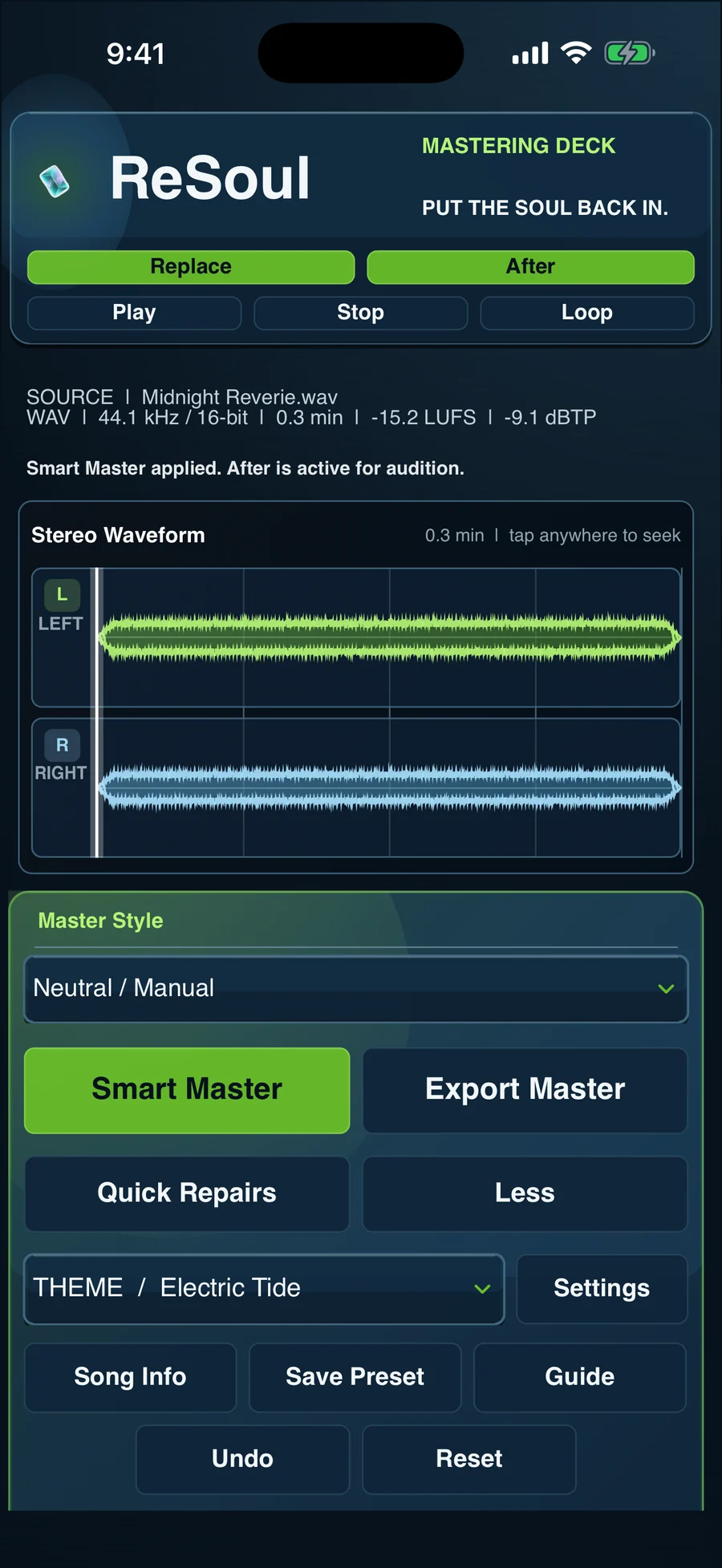
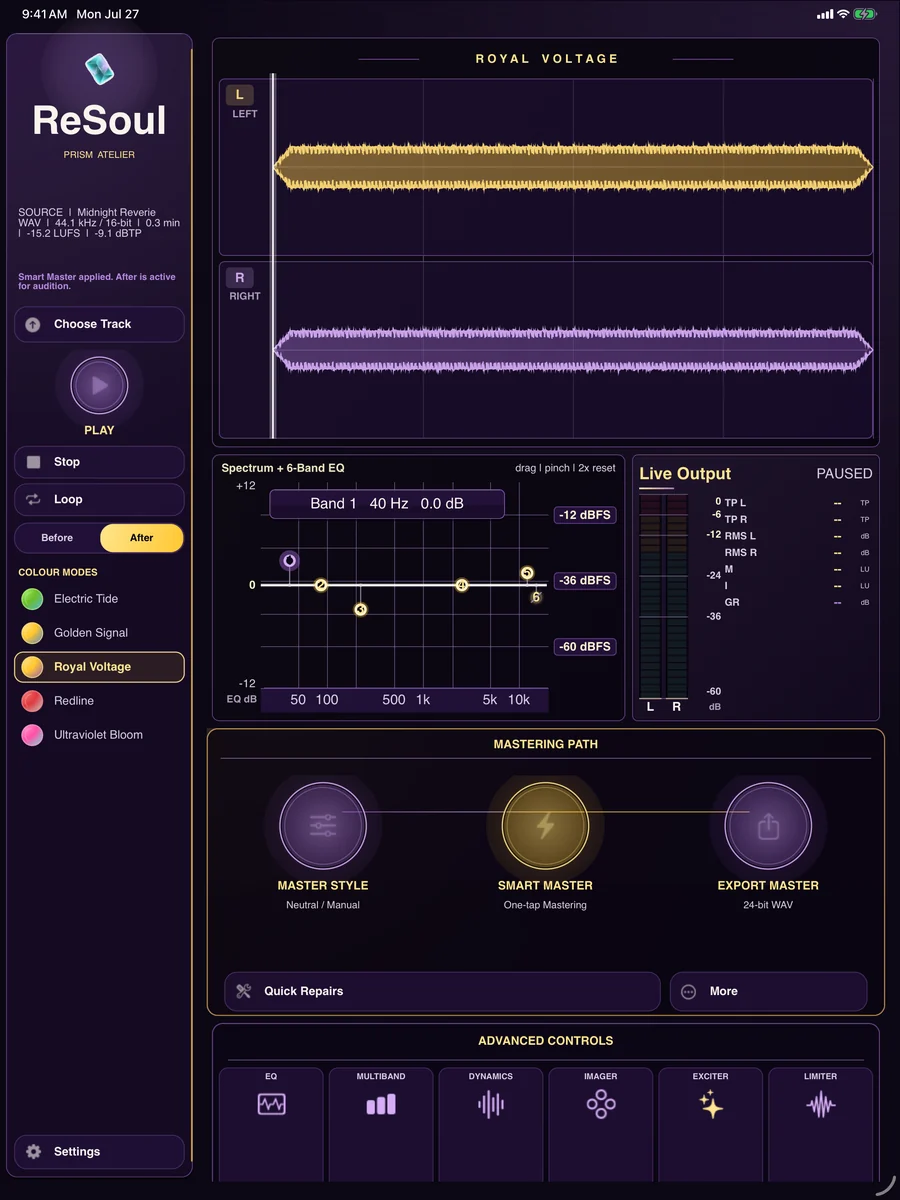
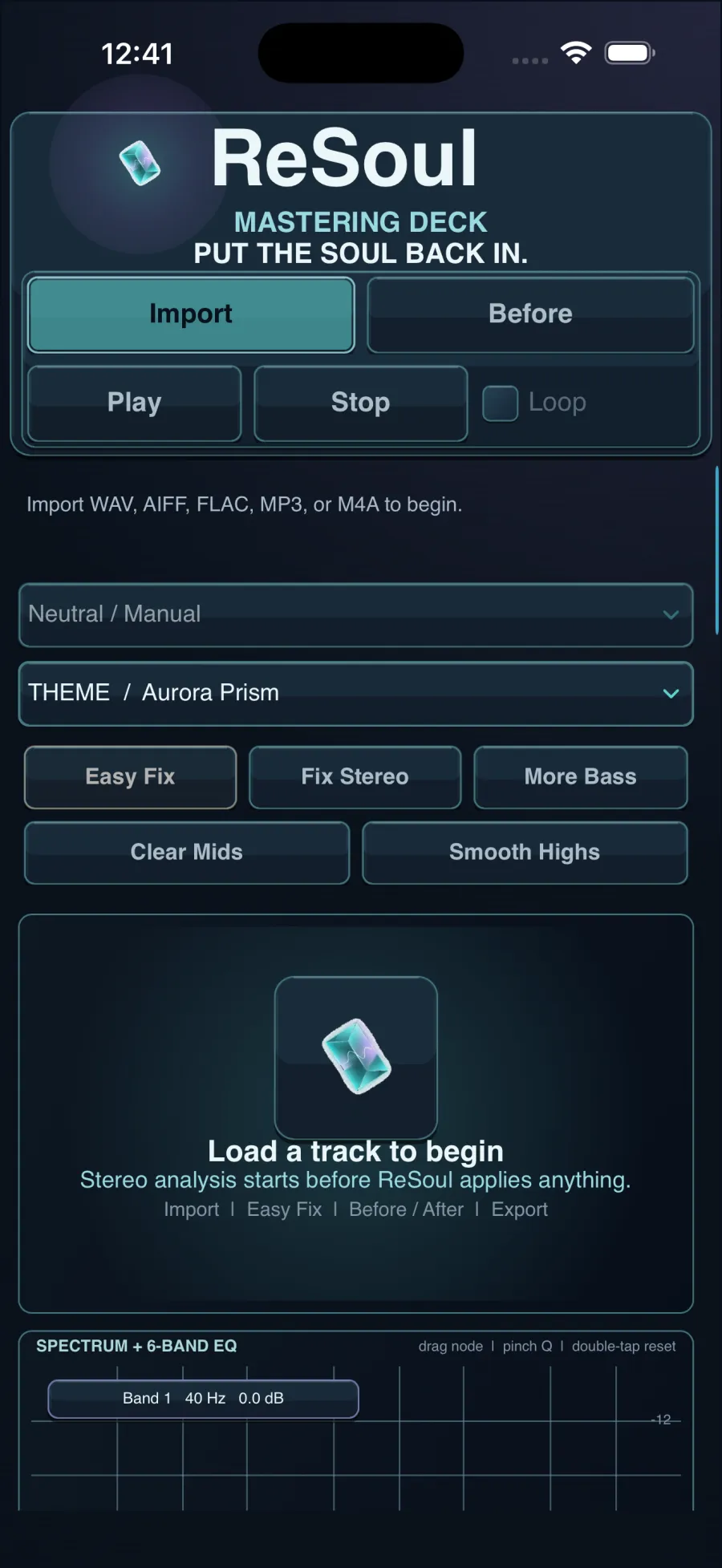
Master rough mixes and AI-generated tracks on iPhone, iPad, and Mac with one purchase, no subscription, and no per-track fees.
Separate left and right waveforms, a live spectrum, and a six-band equalizer keep the stereo picture visible.
Read LUFS, RMS, true peak, correlation, and limiter gain reduction while you make decisions.
Work on dense mixes, compressed AI music, harsh guitars, phasey stereo, metallic highs, and uneven low end.
Use Before/After, one-click Easy Fix, musical starting points, streaming targets, and true-peak protection before WAV export.
Buy once and master on iPhone, iPad, and Mac. No subscription, no per-track charges, and no upload queue between you and the result.
33 curated genre profiles give an honest starting point for the style you are actually working in, then every control stays available underneath.
Analysis, mastering, metering, and export all run locally. Nothing is uploaded to a ReSoul server, used for training, or shared with anyone.
ReSoul is on the App Store for iPhone, iPad, and Mac as a single $9.99 purchase — no subscription and no per-track fees.
View on the App StoreAndroid Beta Testing Available now
ReSoul is designed as an on-device mastering tool. The app does not require an account and does not use your music for advertising or model training.
ReSoul does not collect personal data. It does not include advertising SDKs, cross-app tracking, analytics profiles, or a ReSoul cloud account.
Audio files are opened only after you select them. Analysis, playback, mastering, metering, and export occur locally on your device. ReSoul does not upload audio to a ReSoul server.
The app may store local preferences, mastering presets, theme selection, and security-scoped file bookmarks needed to reopen files you selected. You control exported masters and their destination.
ReSoul uses system uptime for accurate audio timing and file timestamps for user-selected files and app-container file management. These APIs are not used for tracking or fingerprinting.
ReSoul does not sell or share personal information. Operating-system services and storage providers you choose remain governed by their own privacy terms.
Because ReSoul does not collect personal data or require an account, it does not knowingly collect information from children.
If ReSoul's data practices change, this policy and the App Store privacy disclosure will be updated before the changed behavior is released.
For privacy questions, email support@shutterscoutapp.com.
A clean path from rough mix to finished master.
ReSoul includes a full in-app guide. These essentials will get a new session moving quickly.
Check the selected output device, system volume, and the Before/After state. On iPhone or iPad, reconnect headphones or the audio interface and press Play again after a route change.
Confirm the file is a supported audio format and is stored locally or fully downloaded from its cloud provider. Protected streaming-library files cannot be mastered.
Toggle Before/After, lower Output Drive, reduce harmonic character controls, and keep the true-peak limiter enabled. Preserve dynamics instead of chasing loudness alone.
Streaming Universal starts at -14 LUFS with a -1.0 dBTP ceiling. This is a safe delivery reference, not a rule every artistic master must hit exactly.
Email support@shutterscoutapp.com. Include the source format, device model, operating-system version, and what you heard or expected. TestFlight testers can also use Send Beta Feedback.
ReSoul Support · Version 1.3
ReSoul is offered under Apple’s Standard License Agreement.
Read Apple’s Standard EULA