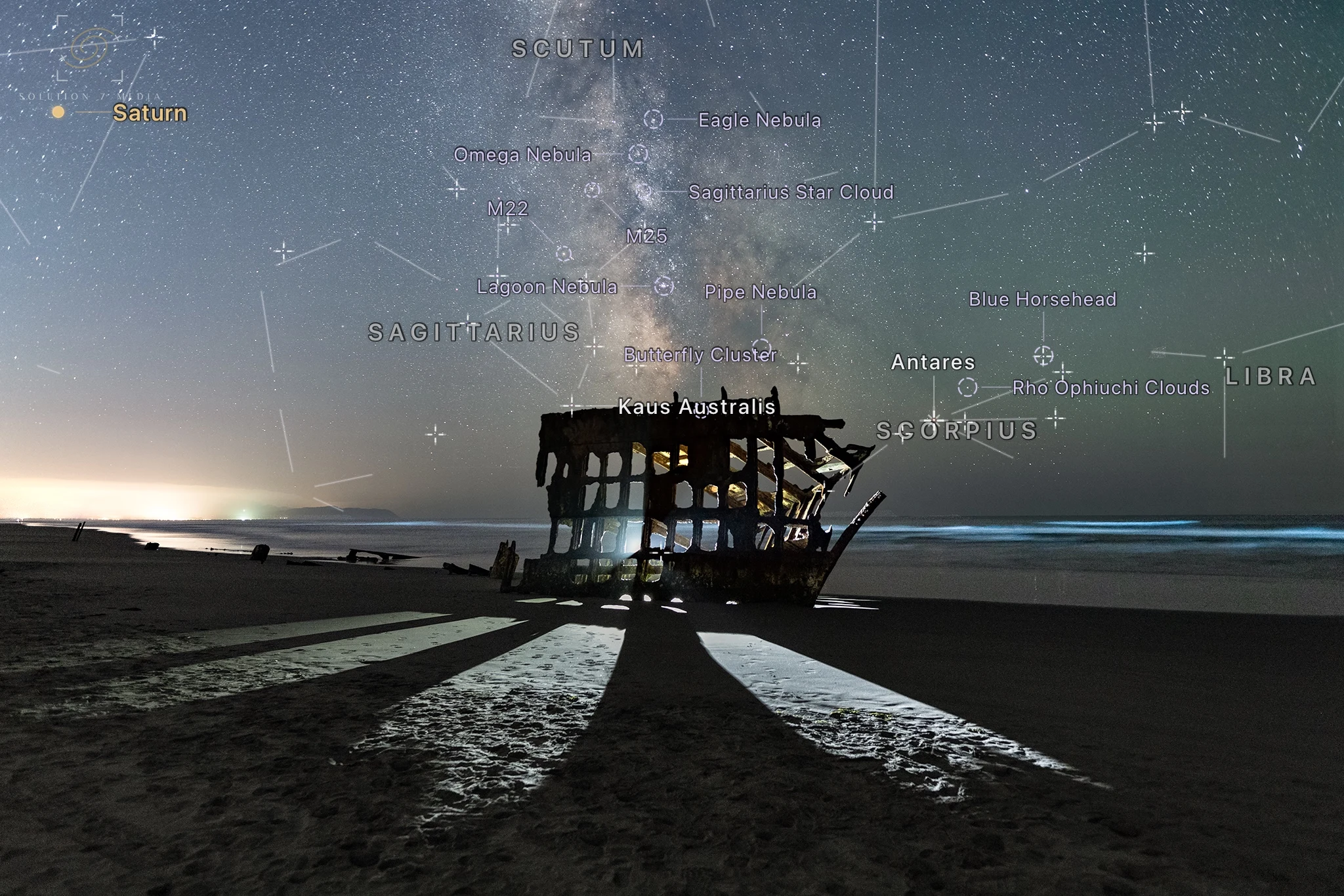
Your first solve
- Tap Upload Photo and pick any starry frame — a single exposure works best.
- Watch the solving stages complete; most skies resolve in a second or two.
- Use the toggles and the density slider to tune the labels to taste.
- Tap Save Annotated Image for a full-resolution copy in Photos, or share it directly.
If a photo will not solve
Night Atlas needs real stars and a single-camera projection. Stitched panoramas, star-trail stacks, and heavily warped composites are declined by design. Hazy or twilight skies with only a handful of stars may also fail — try a frame with a clearly visible star field.
Star reduction is handled; star removal is not. Images processed with moderate star reduction still solve, but starless or near-starless versions (StarXTerminator and similar, or very aggressive minimization) erase the patterns every plate solver depends on. If such an image will not solve, run the version of the photo from before the star-removal step — the solution applies to the same framing.
About planets and the Moon
Planet and Moon labels need the photo's capture date; the Moon is placed most precisely when GPS is present in the file. Solve Details explains exactly what the file provided and what was assumed.
Contact support
Email support@solution7media.com or call 503-257-6177. Include your device model, iOS version, Night Atlas version, and — if a photo failed to solve — what camera and lens captured it.